
 BALANCE
Every till.
Every safe.
Every penny —
balanced.
Turn end-of-day close into a five-minute routine. Live POS data and automatic over/short detection — in any browser, for every store you manage.
The problem
End-of-day shouldn't mean spreadsheet archaeology.
Most stores still reconcile tills with printed reports, manual counts, and a manager signing off on variances they cannot explain until tomorrow. One missed pickup or mis-keyed deposit can throw off the whole week.
- Hours reconciling tills after close
- Over/short surprises discovered the next morning
- Paper approval trails that auditors cannot follow
- Multi-store operators flying blind until reports arrive
How it works
From register to ledger — without a single spreadsheet.
Registers Report In
Sales & tender data stream from your POS throughout the day
Counts Meet Reality
Cashiers & managers declare; over/short is computed on the spot
The Day Closes
Three-tier approvals lock the day with a full audit trail
Books Stay Clean
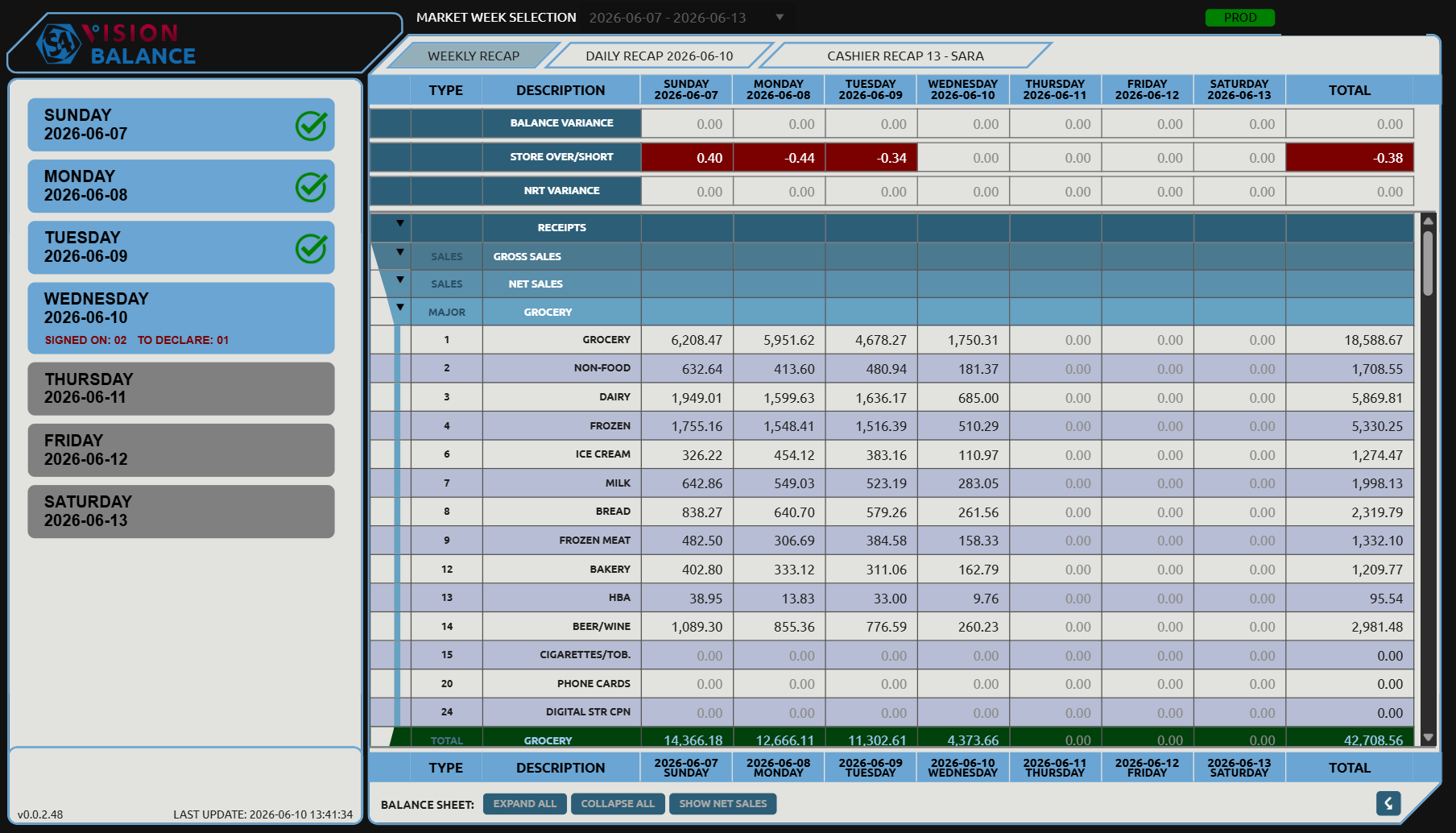
Print, Excel & XML exports — templated for GL
See the system
The cash office on one screen. Legible at a glance.
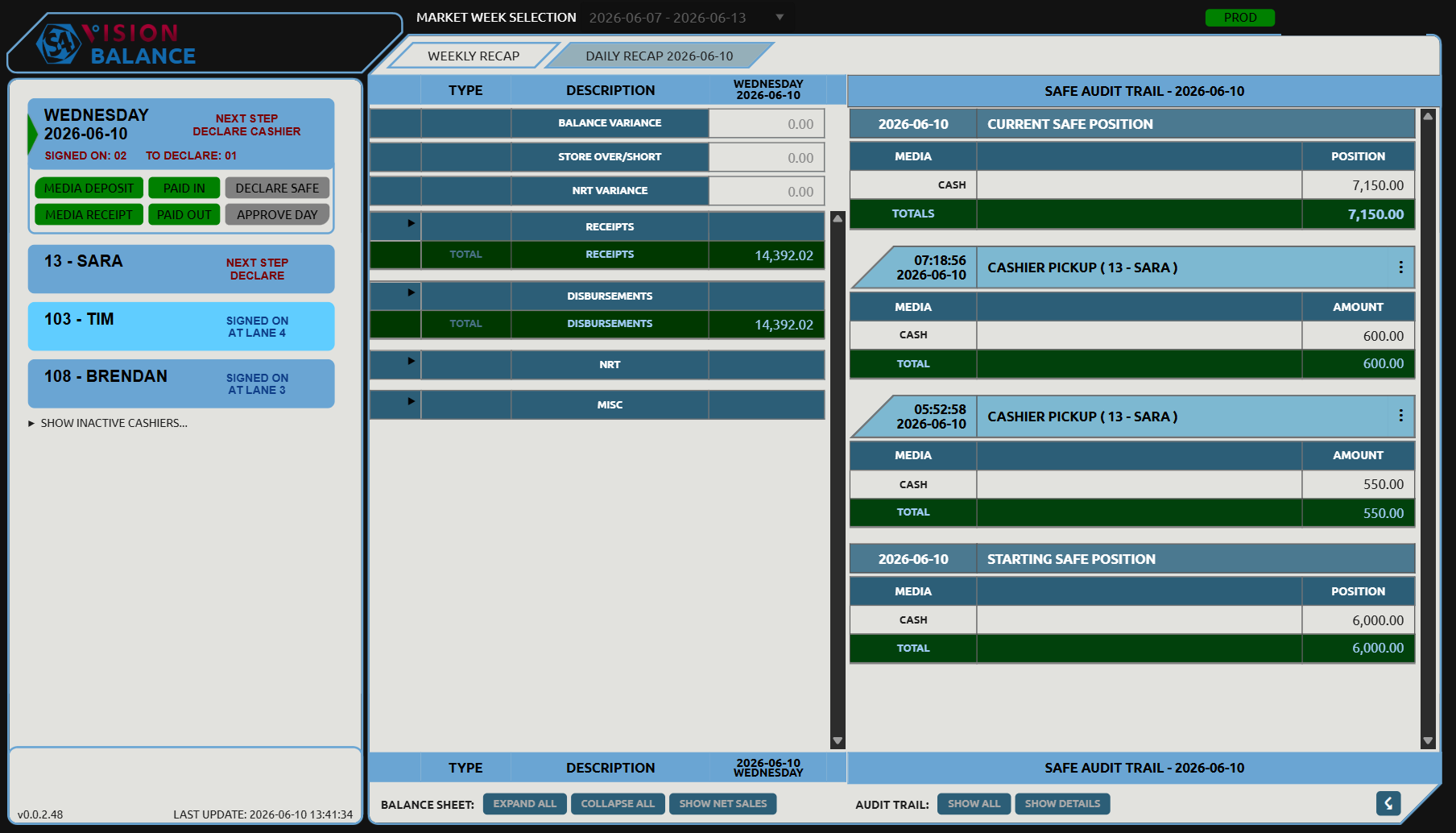
Daily Recap
Run the whole day from one screen
The day's balance sheet, every cashier's status, and the safe audit trail side-by-side. Pickups, deposits, paid-ins and paid-outs — logged the moment they happen.
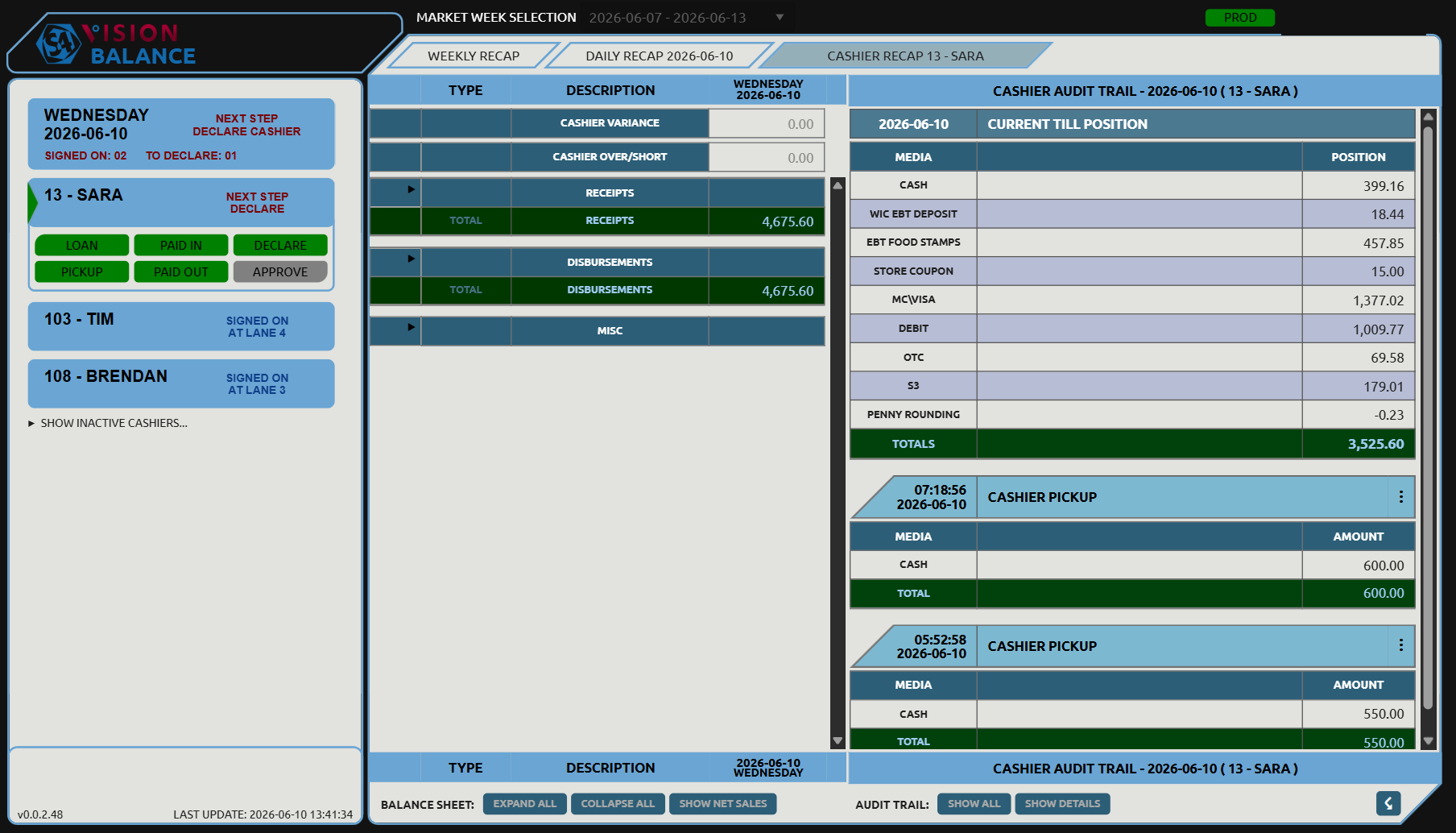
Cashier Recap
Balance every till in seconds
Each till lines up against POS accountability — media by media, from cash to EBT — with the full audit trail alongside.
Balance vs. today
Stop reconciling in spreadsheets. Start closing in minutes.
What store teams report after go-live.
"We used to spend until 11 on tills. Now the manager approves the day before the last cashier leaves — and we actually trust the numbers."
"The safe audit trail caught a pickup that never got entered. We fixed it before close instead of finding a $400 variance on Monday."
"Spreadsheet, printed recap, and a shared drive folder — gone. My district lead jumps store to store in the browser and sees the same view we do."
Ready to see your stores close in minutes?
Tell us how many locations you run — an S4 rep will walk through Balance with your POS setup and answer the cash-office questions your team actually has.
Platform capabilities
Built for the cash office. Proven in production.
Real-Time POS Feed
Register and safe data flow in automatically all day.
Over/Short Detection
Variances computed instantly — green when clean, red when not.
Guided Approvals
Cashier declares, manager approves, the day closes — time-stamped.
Complete Audit Trail
Pickups, loans, deposits, voids — immutable history with notes.
Deposit Reconciliation
Every bank deposit tracked with full media breakdown.
Multi-Store Access
Jump to any authorized store — market-week reporting with drill-down.
Store Templates
Reorder, relabel, or hide recap lines per store with version history.
Exports & GL-Ready
Print recaps or export to Excel and XML — templated for GL.
Common questions
FAQ
Which POS systems does S4Vision Balance support?
Do we install anything on store PCs?
How long does onboarding take?
Is financial data secure?
Join Hundreds of Retailers Who Close Every Day in Minutes — Set Up Your Account
Share a few details and an S4 representative will follow up to connect S4Vision Balance to your POS. We gather store specifics during onboarding — not on this form.
- No obligation — explore before you commit.
- Cloud-native — no install required.
- Full audit trail from till to day close.