S4 Shelf Image
The store-floor side of your pricebook. S4 Shelf Image turns the items, costs, and promotions in S4 Back Office into…
Key features
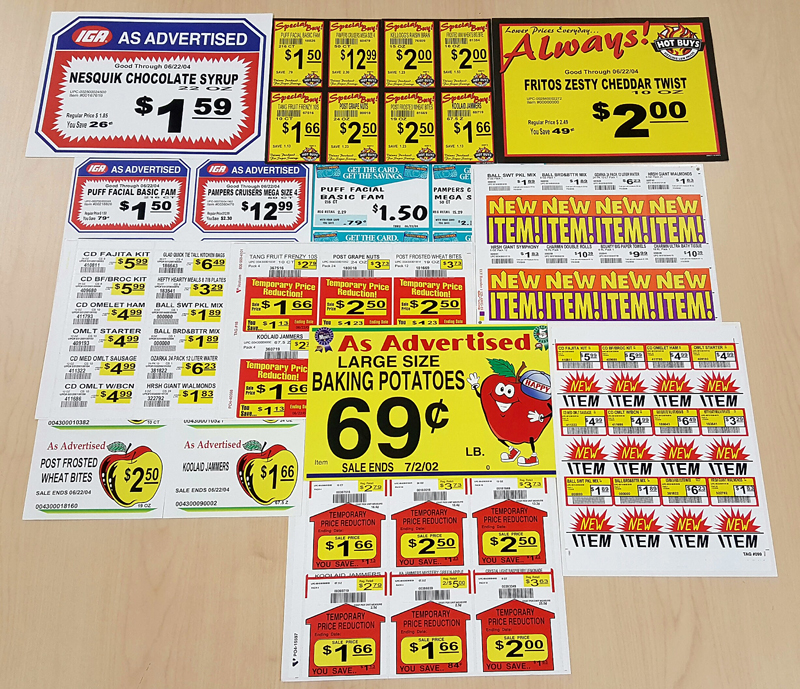
Shelf labels & sales signs
Standard price tags driven by your pricebook; promotional signage built from active batch data.
Shelf talkers & store signs
Callouts for promotions, savings, competitive comparisons; larger formats for endcaps, aisles, and produce.
Nutritional info & recipes
Required regulatory information for fresh and packaged items; recipe lists for fresh categories where recipes drive basket size.
Drag-and-drop designer
Store and corporate teams build their own templates. Works with whatever Windows printer you already own.
Same-day pricebook to shelf
Integrated with S4 Back Office item and batch files — anything you change in the pricebook shows up on the shelf the same day.
ESL-ready
Connects to Electronic Shelf Labels via S4 ESL Integrations — same templates, same workflow, different output target.
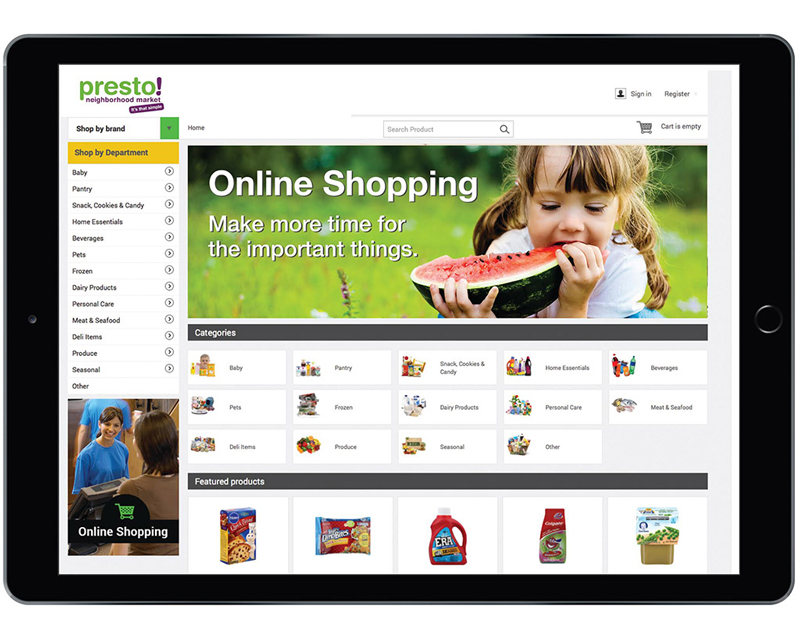
Synchronize your channels effortlessly
Keep pricing, sales, and promotions in sync with your eCommerce partner. Real-time updates when items change.
- Automatic data synchronization with major e-commerce platforms
- Real-time updates when inventory or pricing changes
- Promotional content synchronized across all channels
What's included
- All barcode types supported
- All S4 data fields available as merge variables
- Windows TrueType font support
- Competitive comparative price signs with savings amounts
- Like-code-based tag and sign printing
- Multi-store sets organized for multi-store support
- In-aisle printing of labels via wireless belt printer
The store-floor side of your pricebook. S4 Shelf Image turns the items, costs, and promotions in S4 Back Office into shelf labels, sale signs, shelf talkers, store signs, and nutrition tags — printed where you need them.
S4 Shelf Image is integrated with S4 Back Office’s item and batch files, so anything you change in the pricebook can be reflected on the shelf the same day. A drag-and-drop design tool lets store and corporate teams build their own templates, and S4 Shelf Image works with whatever Windows printer you already own.
What S4 Shelf Image prints
- Shelf labels — standard price tags driven by your pricebook
- Sales signs — promotional signage built from active batch data
- Shelf talkers — callouts for promotions, savings, and competitive comparisons
- Store signs — larger formats for endcaps, aisles, and produce
- Nutritional information tags — required information formatted for fresh and packaged items
- Recipe lists — for fresh categories where recipe content drives basket size
Built into your S4 workflow
Because Shelf Image is integrated with S4 item and batch files, signage requests happen as part of your normal pricebook workflow rather than as a separate task.
- Drag-and-drop designing tool for signs and tags
- All barcode types supported
- All S4 data fields available as merge variables
- Windows TrueType font support
- Competitive comparative price signs with savings amounts
- Like-code-based tag and sign printing
- Supplemental database for store-specific fields
- Unit-of-measure standardization table
- Uses Windows print drivers for every printer model
- Works with any Windows printer
- In-aisle printing of labels
- Immediate print from within S4 item maintenance
- Interfaced to both in-store S4V6 and S4 Multistore
- Print sets of labels and talkers organized for multi-store support
- Connectivity with Electronic Shelf Labels via S4 ESL Integrations
When Shelf Image is the right tool
S4 Shelf Image is for stores that print most of their own signage and want to keep the design, the data, and the printing inside the back office. If your team is currently exporting to a separate sign tool, recreating templates, or running parallel pricing data, Shelf Image collapses that into one workflow.
For stores already running paper labels and looking to move to Electronic Shelf Labels, Shelf Image connects to ESL — same templates, same workflow, different output target.
Talk to S4 about Shelf Image
We can walk through what your current signage workflow looks like and where Shelf Image would save time.
Email: sales@s4.com
See S4 Shelf Image With Your Own Store Data
Tell us your POS, what you're running today, and what's slowing your workflow. We'll spin up a 30-minute walkthrough of S4 Shelf Image with your real items — no slides.
- No card, no commitment — ever.
- Not added to any list. Reply 'stop' once and we stop.
- Walkthrough recorded so you can share with your team.